Table of Contents
The Subscriptions interface allows you to view and manage all subscriptions on your website from a single place, without needing to navigate through individual member profiles.
By hovering over the username of a member, you can choose to Edit or Delete their subscription. Editing allows you to modify the subscription details, while deleting will permanently remove the subscription from the system.
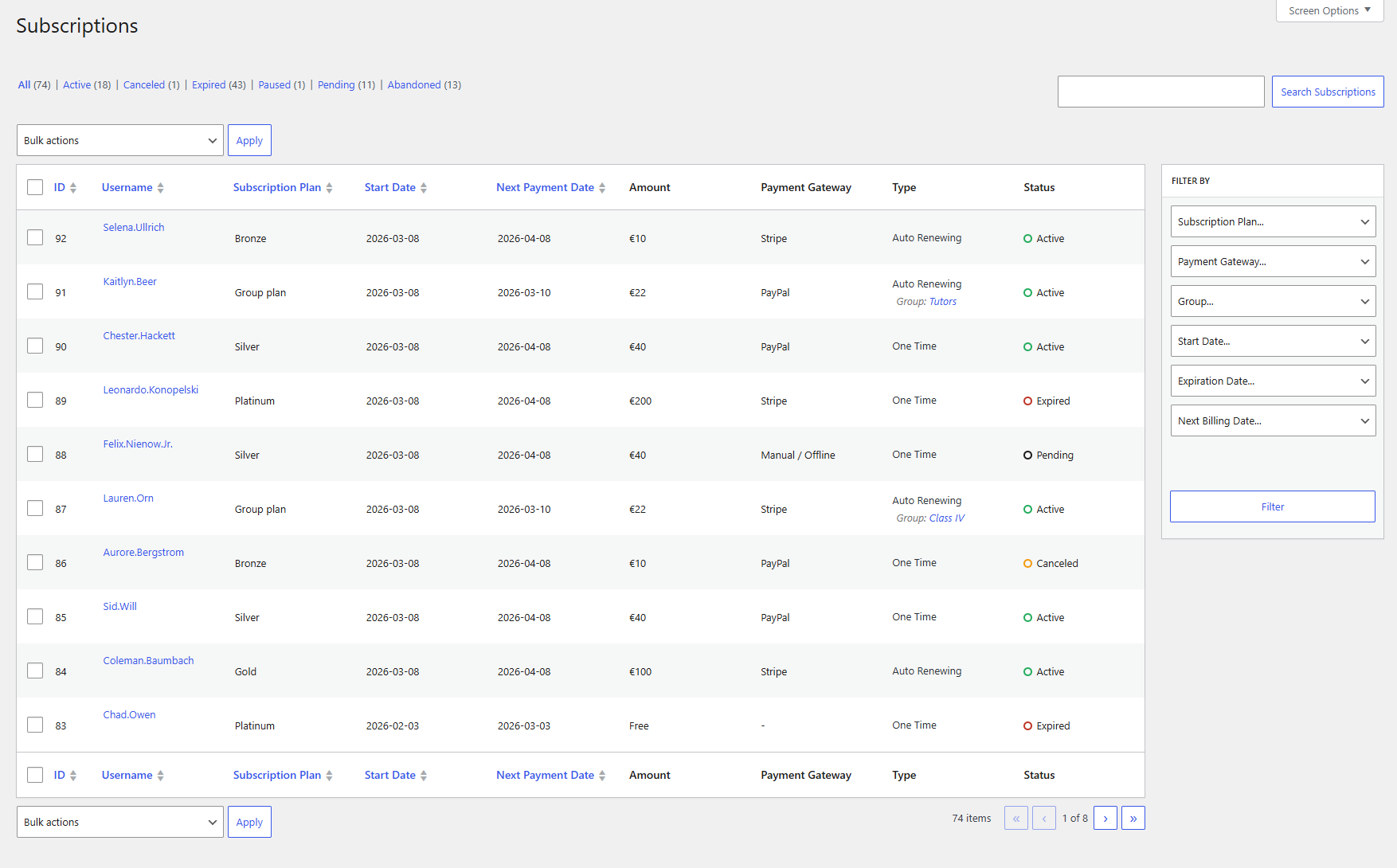
The Subscriptions list can be filtered using various criteria such as name, status, payment gateway, start date, expiration date, next payment date, etc. Below, you can find a more in-depth overview of the information and search criteria available on this page.
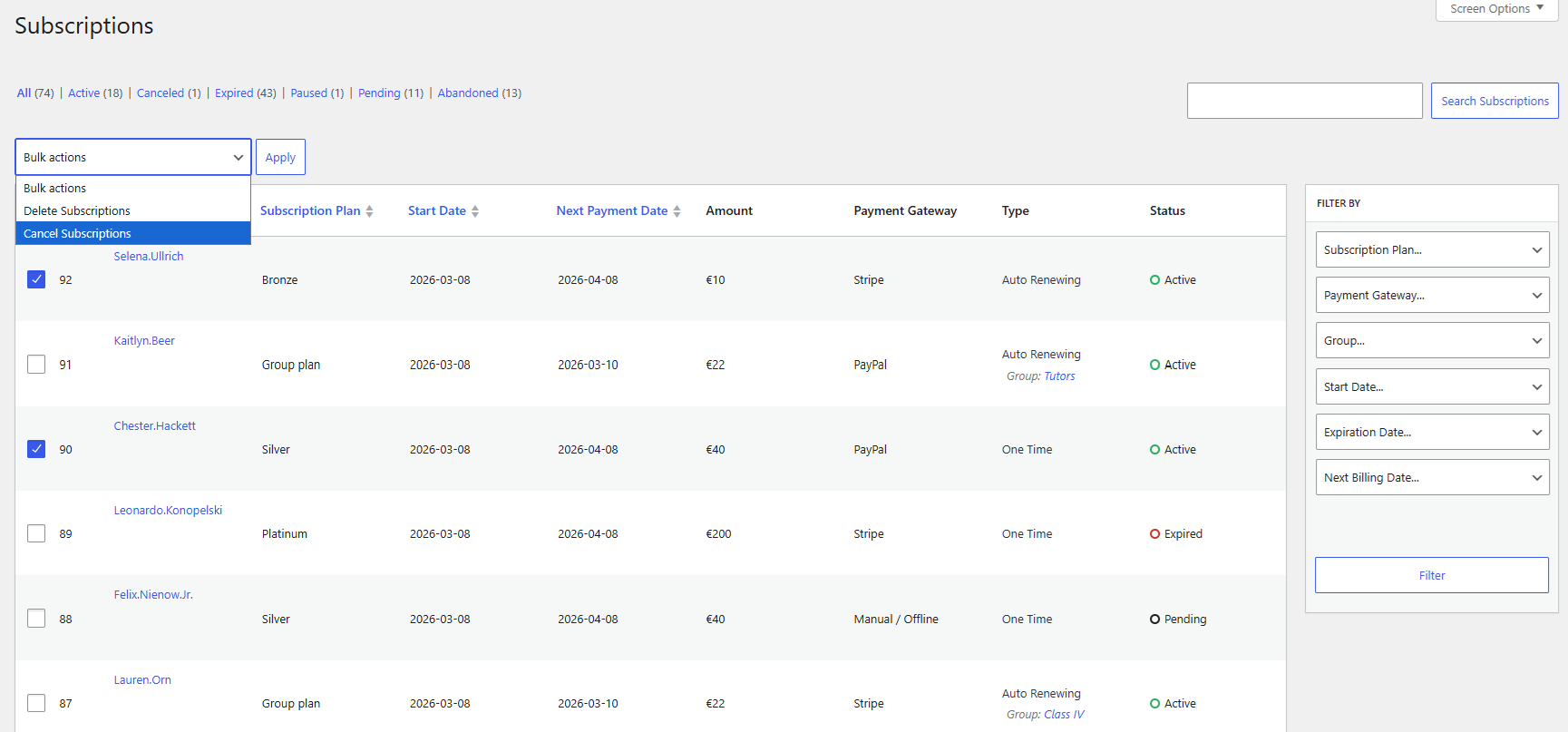
You can cancel or delete multiple subscriptions at once by selecting them and using the corresponding options from the Bulk Actions dropdown.

Accept (recurring) payments, create subscription plans and restrict content on your website. Easily setup a WordPress membership site using Paid Member Subscriptions.
Get Paid Member SubscriptionsCombine the power of Profile Builder with Paid Member Subscriptions to set up user registration, memberships, and recurring revenue.
Get 25% off with the bundle