Agencies, businesses, and creators use our powerful WordPress plugins to extend, improve, and monetize their community and membership websites.

We have been developing membership and user management software for the past decade, so we know a thing or two about what you and your community needs, and our customers couldn’t agree more.
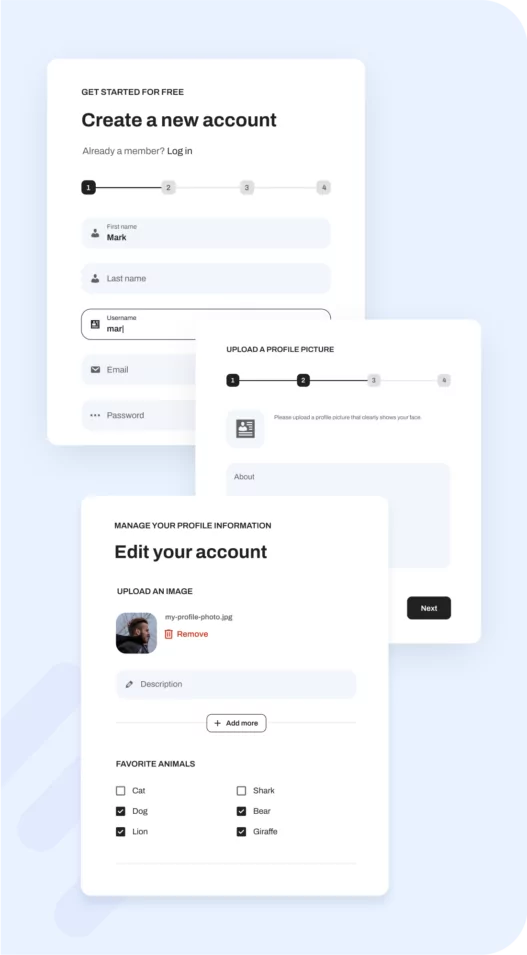

Enhance your WordPress and WooCommerce user registration and login experience.
Simplify the process for your users with intuitive registration forms with custom fields, member profiles and social login to help you increase retention.
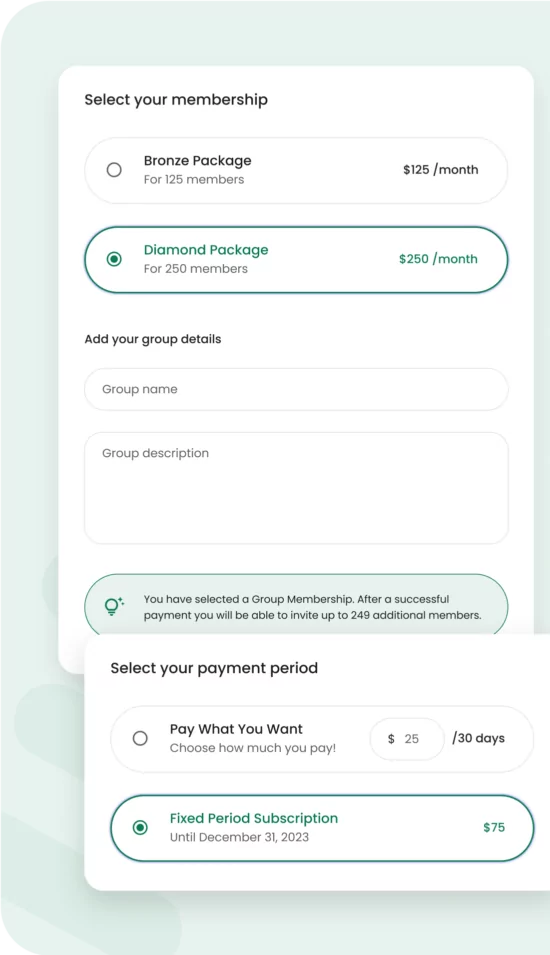

An all-in-one solution for creators and businesses to easily create and manage a fully customizable membership website while earning recurring revenue.
Offer free trials to new members, set up group memberships with multiple seats, restrict content to paying members only, and so much more.
Profile Builder Give your users the best experience possible with Profile Builder’s user registration and login forms, custom user profiles, and so much more.
Paid MemberGenerate recurring revenue from your users and members with the Paid Member Subscriptions all-in-one solution for membership sites.
Get to know the rest of our product suite for WordPress builders, creators, and developers.

The simplest way to translate your WordPress site into any language with full SEO and WooCommerce support.
Create custom post types, custom taxonomies, custom fields and metaboxes for your posts, pages or CPT’s.
Our products and support are loved by hundreds of thousands of people around the globe.





Printables are digital items that customers can purchase to download and print at home. They're a fantastic way to generate passive income. However, you might not know how to sell printables online. While you can use social media or ecommerce storefronts, the best way to sell printables is to create your own website. This way, […]
Continue Reading
Forum websites are a great way to build community and facilitate interactions between like-minded individuals. Members can exchange stories, swap opinions, and share advice. But, it might be hart to know where to start. Fortunately, it isn't as tricky as you might think. With the right tools, you can easily create forums for different topics, […]
Continue Reading
There are tons of reasons to add a map to your WordPress site. However, if you have a directory website or online community, you might want to take it a step further and build a sophisticated user map that displays members' locations. Although this sounds tricky, it's relatively straightforward with the right tools. In fact, […]
Continue ReadingWe deliver quality products that are developed, tested, and supported to the highest standard.
Our dedicated team of experts is here to help you every step of the way.